
A five-question weekly reset
- What did I complete or move forward?
- What remains open, and does it still matter?
- Should each open task be completed, split, rescheduled, or removed?
- Does an incomplete Ritual occurrence point to a cadence or timing problem?
- What is the first useful action for next week?
Start with evidence, not guilt
Begin by noticing what was completed, started, clarified, or deliberately changed. A weekly review is a decision point, not a score for whether the week went perfectly.
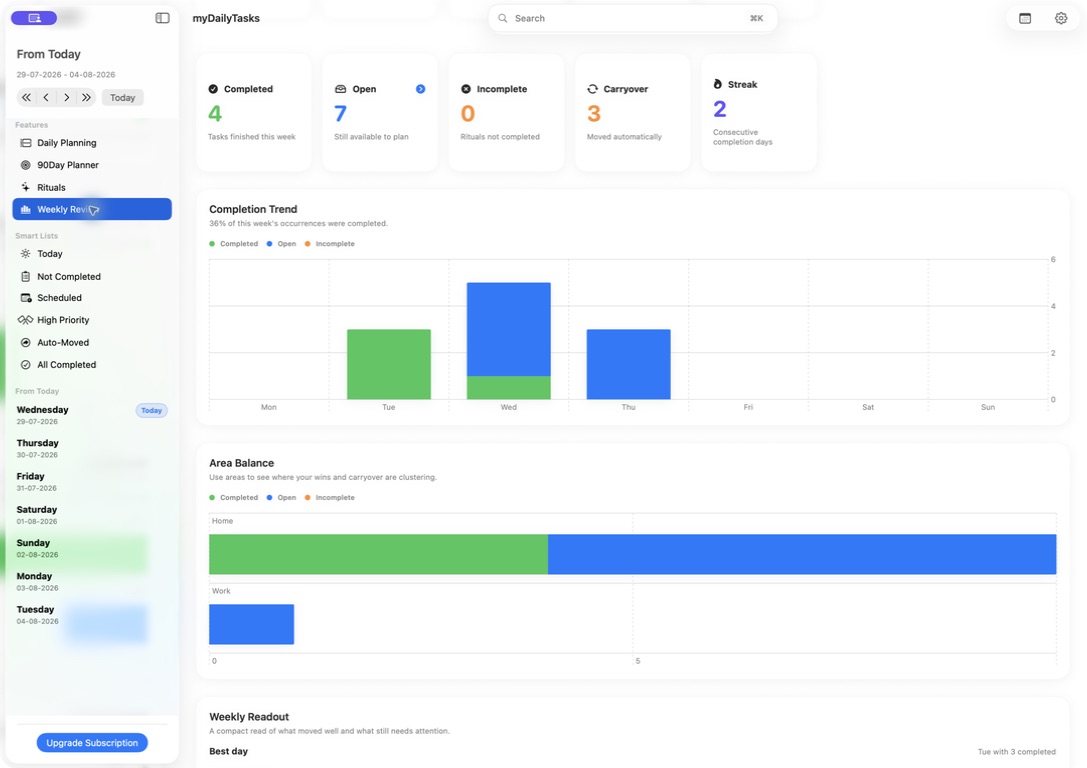
myDailyTasks Weekly Review shows completed and open work, incomplete Ritual occurrences, tag balance, streaks, carryover, and weekly wins for the selected week. Use those signals to understand what happened before deciding what comes next.
Decide what each unfinished task needs
For every open task, choose one response: complete it soon, split it into a smaller next action, reschedule it, or remove it. Carrying everything forward without a decision recreates the same crowded list next week.
A task that moved several times may be too large, unclear, poorly timed, or no longer important. Rewrite the next visible action before giving it another date.
Treat Ritual occurrences differently
An incomplete Ritual occurrence records that a repeated action did not happen on its intended day. It does not roll forward like an ordinary unfinished task, because copying yesterday's routine into today can distort the cadence.
Instead, ask whether the pattern is realistic. You may need a different weekday, a smaller routine, a more useful time, or a deliberate pause during an away period.
Plan a deliberately small next week
Choose the few outcomes that deserve attention, then identify the first useful action for each. Keep flexible tasks available without forcing every action into a time block before the week begins.
Check fixed commitments and repeated responsibilities before filling open time. A plan with room to adjust is easier to return to when the week changes.
Use the product to support the decisions
Smart Lists such as Not Completed, Scheduled, High Priority, Auto-Moved, and All Completed provide useful review lanes without replacing the decision itself.
Automatic carryover can move selected open tasks after a chosen time. Priority offsets, tag schedules, weekday or weekend rules, and Calendar Rules away periods can help routine moves reflect real constraints.
Finish by returning to Today or Daily Planner and making the first action visible. The useful weekly loop is: recognise progress, decide what unfinished work needs, check repeated patterns, choose a small next week, and begin with one clear action.