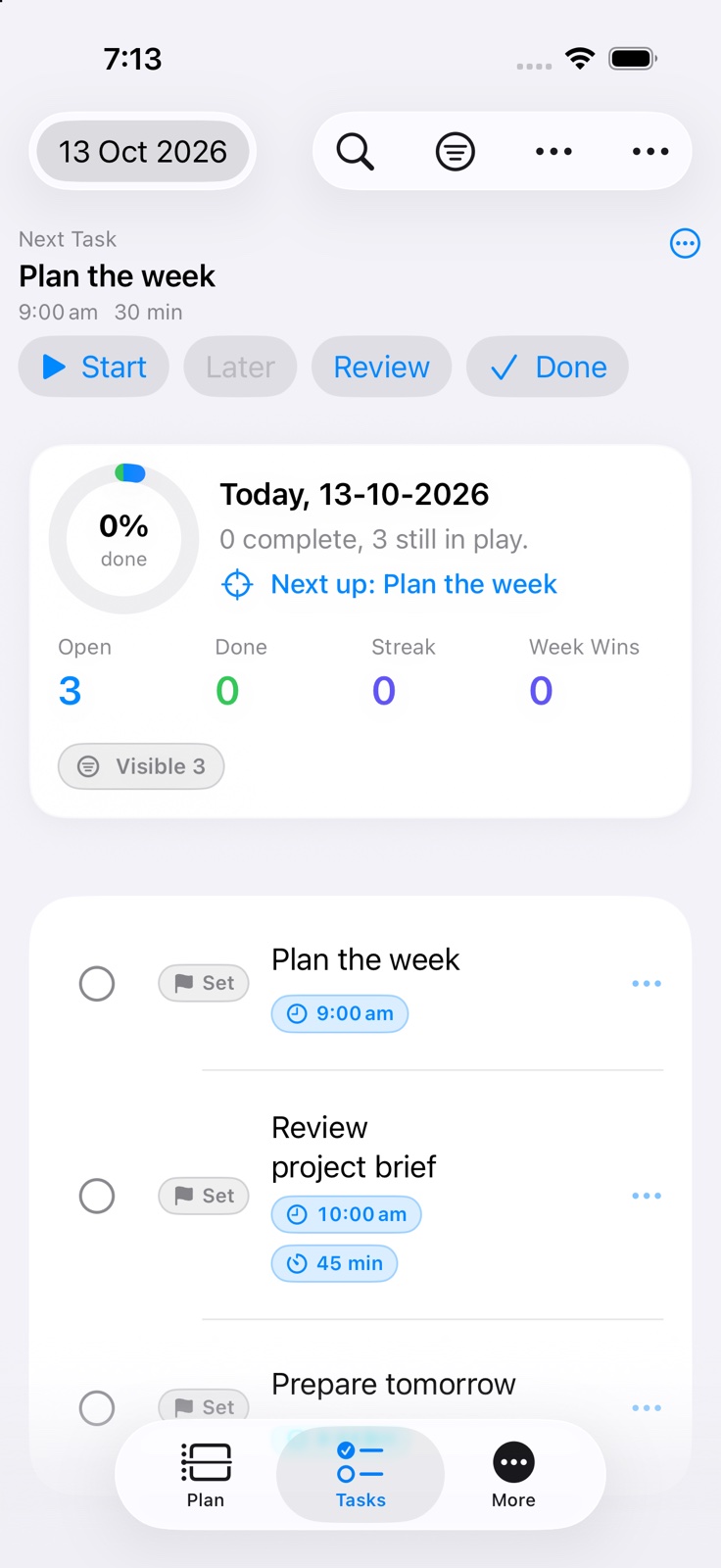
On iPhone, Today brings quick capture, current-day tasks and Activities into one view.
Use the planner’s date navigation to plan ahead. Today stays anchored to the actual current day even when another planner date is selected.
Tasks can include details, a scheduled time and duration, a reminder, a tag, a priority, a sticker, and a client/project assignment.
Today includes all today’s timed, untimed, open and completed Activities even if another planner date is selected. Task filters leave Activities visible.
On iPhone, select Activities to Mark Done, Reopen or Snooze in a batch. Tap task text to edit; completion controls remain separate and confirm by default.
Side-by-side breakdown charts show the mix of status, task type, tags, priority, timing, and carryover in the current view.
Common questions about Today
What does Today show?
Today keeps the current day in focus, with quick capture, tasks, progress, and the next useful action together in one place.
Can unfinished tasks move to another day?
Yes. When automatic task carryover is enabled, open tasks can move forward using your configured timing, priority offsets, tag schedule, and away-period rules.
Keep going
Your next useful step
Continue with a related guide or explore how the feature fits your plan.
 myDailyTasksExplore Today