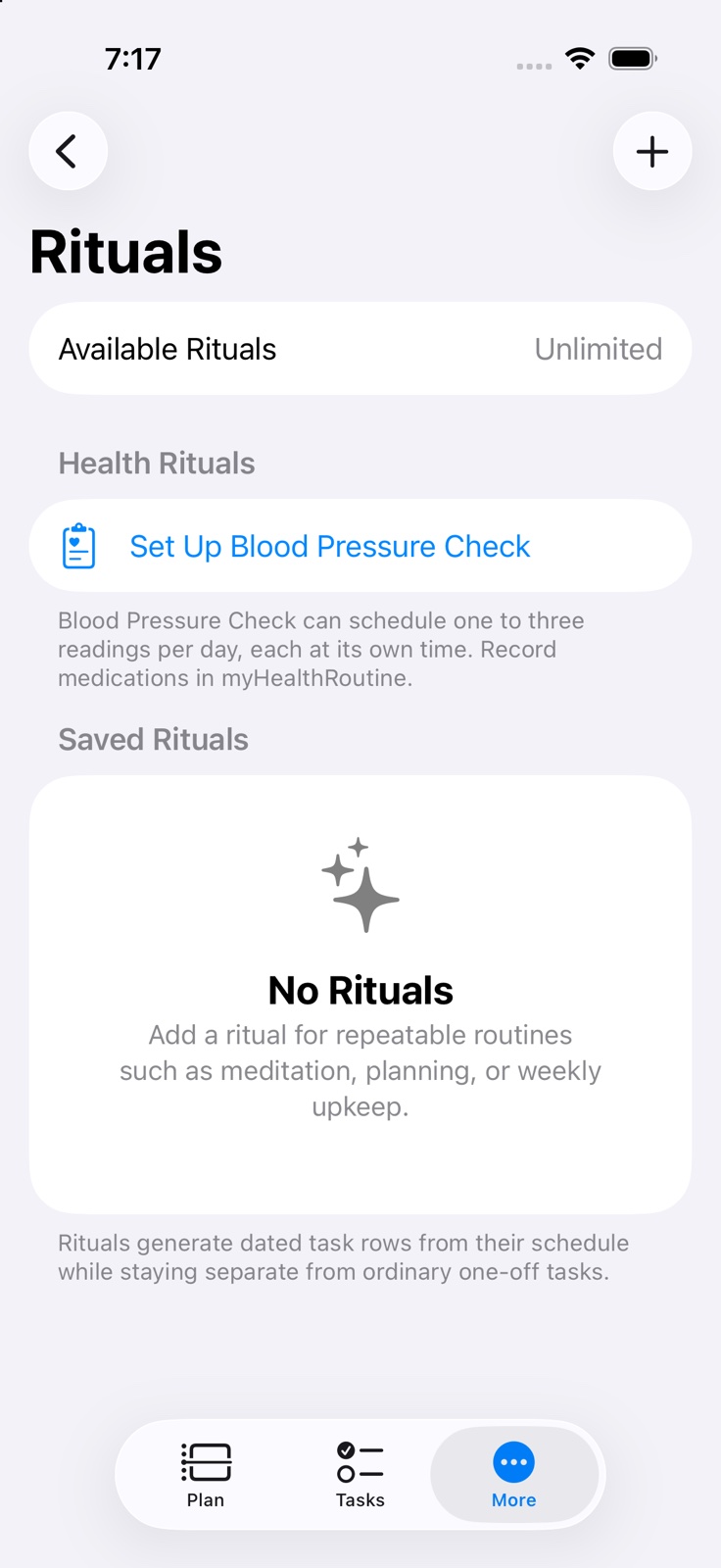
Rituals support daily, several times a week, weekly, fortnightly, monthly, bi-monthly (every two months), quarterly, half-yearly and yearly schedules, with optional time, duration, travel and reminders. A tag is required by default; Settings can allow untagged Rituals.
Generated ritual tasks stay editable inside normal day views and Smart Lists while keeping their Ritual badge.
Delete Ritual in the saved editor removes only pending occurrences from today onward after confirmation. Older entries, completed occurrences and Missed history remain.
Optional myHealthRoutine connections support medication completion and Blood Pressure Check Rituals. Plan one, two or three readings per ritual day, each with its own time and completion. Optional Apple Health matching is available on supported iPhone and iPad devices.
Free plans can keep up to three rituals. Premium removes the saved-ritual limit.
Rituals appear on iPhone, iPad, Mac, and the Apple Watch reference list.
Common questions about Rituals
What are Rituals in myDailyTasks?
Rituals are reusable routine templates with schedules from daily through yearly, including fortnightly and seasonal options. They generate dated tasks in the normal planner while keeping recurring routines separate from one-off work.
Can I use Rituals on the free plan?
Yes. Free plans can keep up to three rituals, and Premium removes the saved-ritual limit.
Keep going
Your next useful step
Continue with a related guide or explore how the feature fits your plan.