
Plan your day
myDailyTasks
Give tasks, appointments and recurring routines a place in your day. Turn the things that matter into a plan you can follow.
See myDailyTasks features myDailyTasksExplore Today
Daily planning across your devices
Plan around your calendars, build repeatable Rituals, and track time by project across iPhone, iPad, Mac, and Apple Watch.
For iPhone, iPad, Mac, and Apple Watch
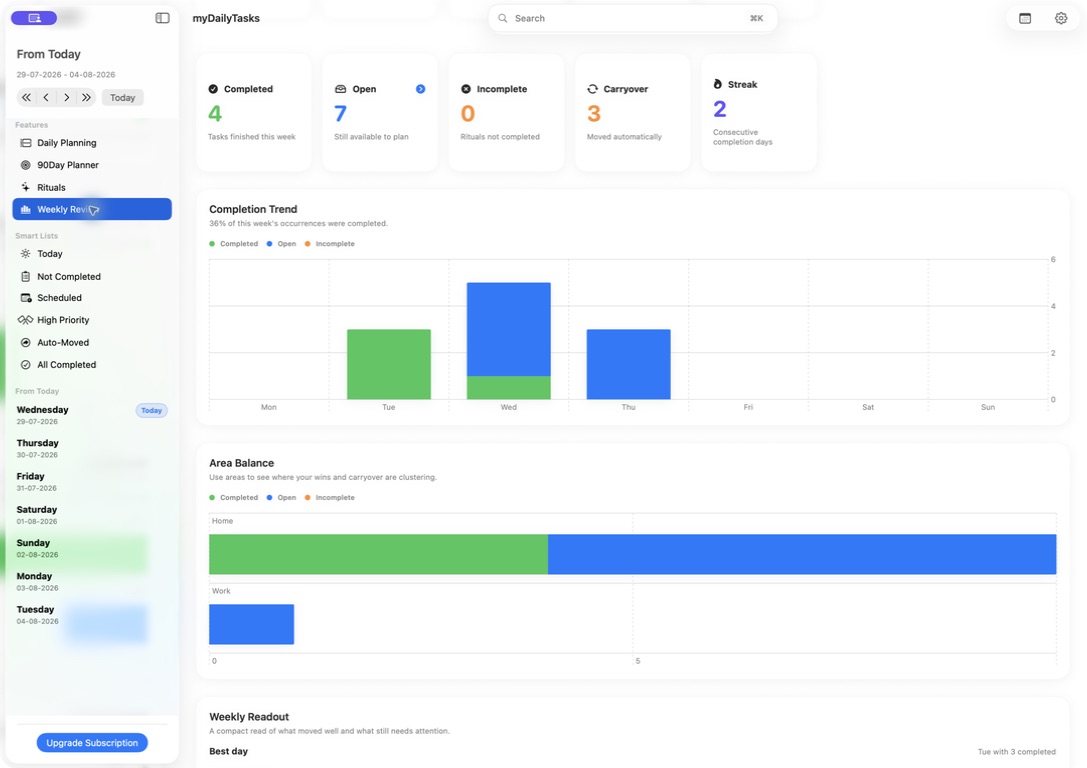
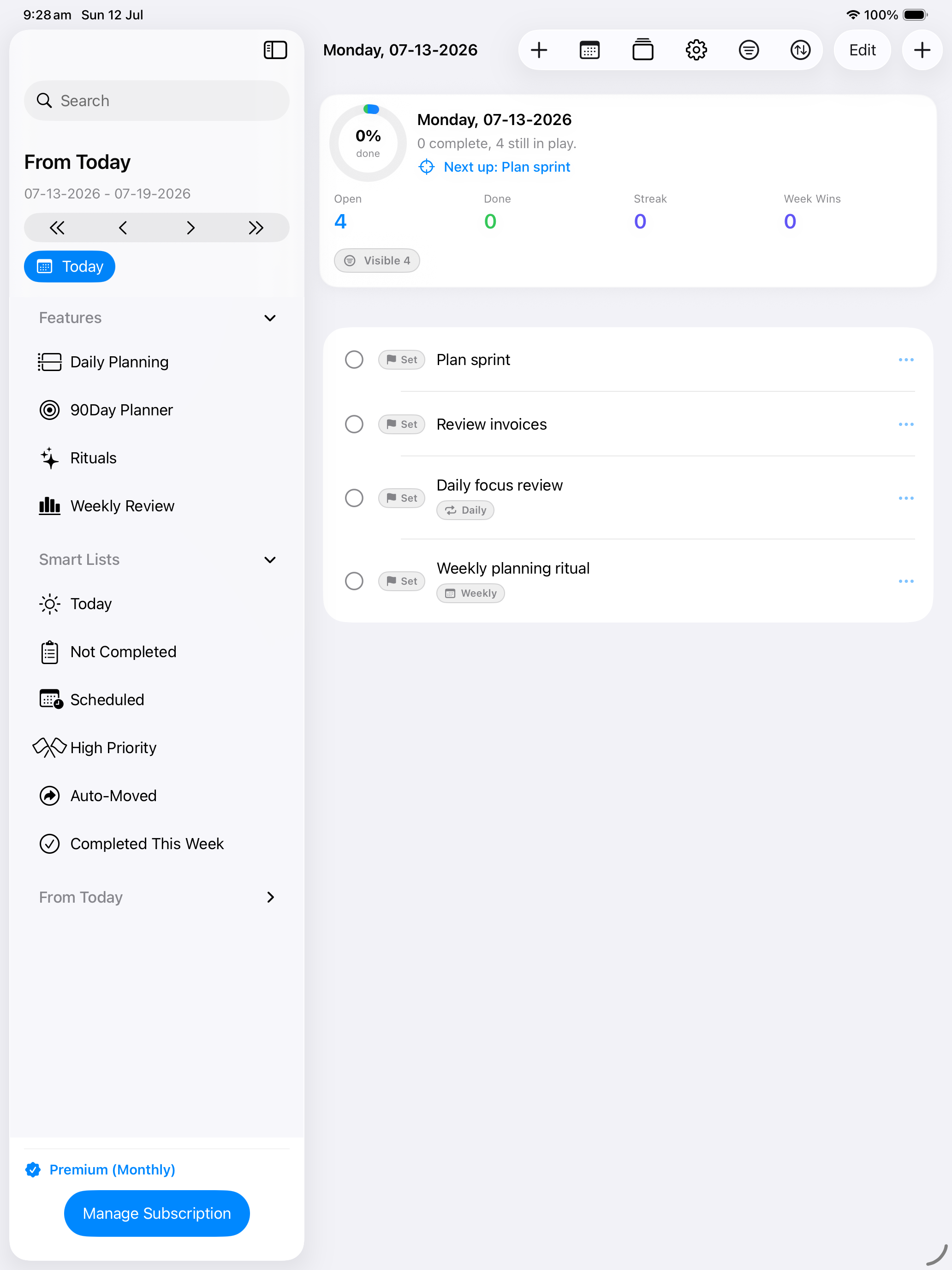
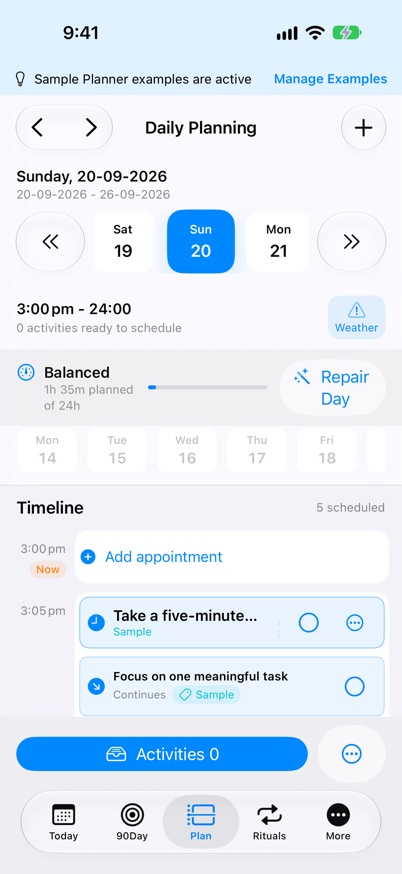
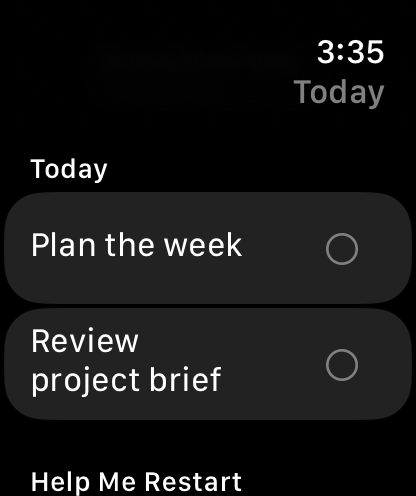
Plan across iPhone, iPad, Mac and Apple Watch.
Three apps for everyday life
Use each app for what it does best. Bring selected reminders into your daily plan, while keeping health records and household finances in their own apps.
Plan your day
Give tasks, appointments and recurring routines a place in your day. Turn the things that matter into a plan you can follow.
See myDailyTasks features
Record your health
Keep readings, medications, food and everyday health notes together. Review your records and prepare for healthcare conversations.
Explore myHealthRoutine In development
Understand your money
Bring household spending, income, budgets and recurring bills into view. See what is planned and what you have actually paid.
Explore myBudgetCanvasPlan a blood-pressure check in myDailyTasks, then open myHealthRoutine to record it. In compatible versions, saving the reading completes the linked check without sending measurement values to your planner.
With compatible builds, export bill reminders from myBudgetCanvas and review them in myDailyTasks before adding tasks. Completing a task does not record a payment in your budget.
Discover a new way of planning
myDailyTasks is built around a daily loop: choose what matters, place time-specific work onto a visible timeline, tune defaults once, and review what changed before work rolls forward.
Give important work a clear lane with A/B/C priorities, numeric ranking, scheduled times, and tags.
Use day views, the Daily Planner timeline, rituals, Smart Lists, Calendar Rules, and tasks to keep the next action visible.
Use completion charts, streaks, tag balance, carryover, and weekly wins to decide what happens next.
Made for Mac
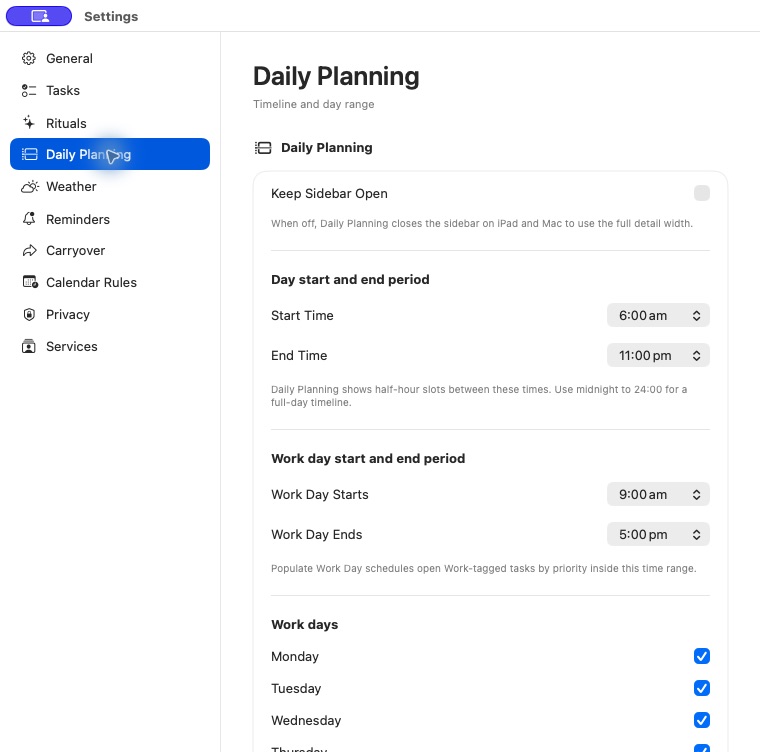
The Mac app gives your plan room to breathe, with feature navigation in the sidebar, a wide Weekly Review, and Daily Planner controls that stay close to the work.
Core capabilities
See your calendar commitments beside your tasks, understand the time you have left, and review a plan that fits around your day.
Version 1.2See Calendar-aware PlanningRecord the time you actually spend on tasks, review your work by project, and export a timesheet when you need it.
Version 1.2See Time TrackingConnect tasks to the projects and people you work for, then see the time and billing for each client and project.
Version 1.2See Projects & ClientsKeep today clear with quick capture, a focused task list, progress, and a view of what matters next.
Version 1.2See TodayDaily Planner Timeline is a time-blocking view in myDailyTasks that places tasks and separate Activities onto a visible half-hour schedule on iPhone, iPad, and Mac.
Version 1.2See time blockingMove open tasks forward after a chosen time, with priority offsets, tag-aware scheduling, away-period skips, and optional priority changes.
Version 1.2See task carryoverKeep repeated life patterns separate from ordinary one-off tasks, then schedule dated tasks into the planner automatically.
Version 1.2See how Rituals workReview completion charts, tag balance, streaks, carryover, and weekly wins for the selected week.
Version 1.2See Weekly ReviewOptional add-ons
Study and Pollen Alerts are available now. Organise coursework or add reminders for high-pollen days, each with its own subscription separate from Premium.
Bring subjects, assignments, revision and results into your daily planner, with a separate Study subscription.
Available nowSee StudyAdd a reminder to follow your existing allergy medication plan on high-pollen days. Pollen Alerts is available with its own subscription.
Available nowSee Pollen AlertsExplore before you decide
Plan with up to 7 active tasks, 5 Daily Planner Activities in a 7-day planning week, 3 Rituals. Premium removes those limits and adds calendar planning actions, the full Watch dashboard and private 12-week insights.
Refine your workflow
Carry forward unfinished work intentionally instead of letting it disappear.
Keep rituals separate from one-off work while still scheduling real dated tasks.
See completion, balance, and carryover before planning the next stretch.
Start with what feels difficult
Choose a practical planning guide for organising daily life, structuring a busy task list, planning with ADHD, or organising actions you can schedule.
Turn assignments, exams and feedback into manageable sessions, with room to adjust when the week changes.
Read: Study PlanningA practical, low-overload way to keep one next action visible, give timed work a place, and adjust when the day changes.
Read: ADHD Daily PlannerBuild a time-blocked day around fixed commitments, flexible work, and a simple repair plan for the moments when real life changes the schedule.
Read: Flexible Time BlockingBuild a practical planning loop for work, home, health, routines, and longer goals without turning organisation into another full-time job.
Read: Organise Your LifeWrite tasks you can start, separate scheduled work from flexible work, and use priority, rank, and tags without building a complicated filing system.
Read: Structure and Prioritise TasksPrivacy first
Your planner can sync through iCloud across your signed-in Apple devices. Optional reminders and integrations stay under your control.
Apple Watch face setup
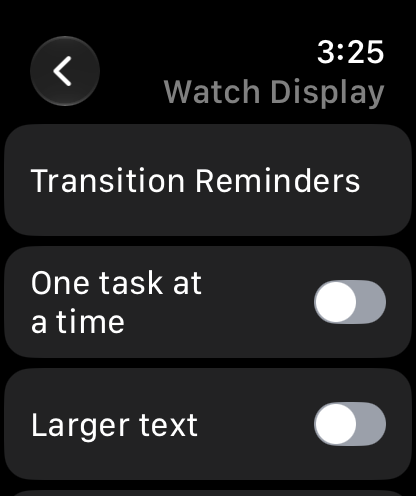
Add the Today’s Tasks complication to a compatible watch face to see your current focus, open tasks, and progress at a glance.
Set up the watch faceKeep tasks visible and choose a display that suits you.
Your plan, where you need it