
Version 1.2
More Ways to Focus on Apple Watch
Use task timers, short focus sessions, transition reminders and a simpler next action on your wrist with the latest Watch app.
Your planner, on your wrist.
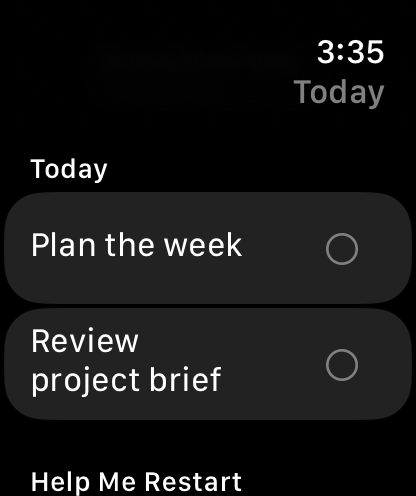
Keep tasks visible and choose a display that suits you.
What it supports
- Task Timer opens from an ordinary task or a compatible complication. Start tracking with Premium; stop an existing timer on any plan. Stopping saves time without completing the task.
- Focus Session offers a 1–120 minute countdown, pause and resume, Continue, Finish and timed breaks. It leaves task completion and billable time unchanged.
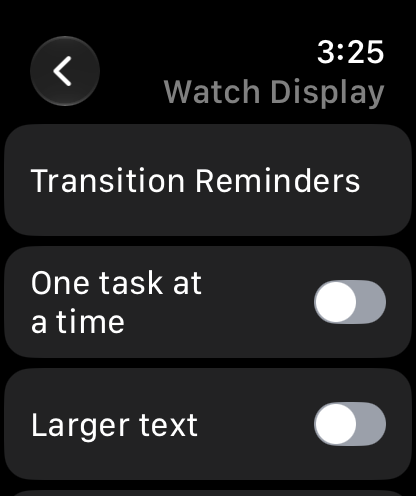
- Opt-in transition reminders offer 5, 10 or 15 minutes’ notice, quiet hours, a daily automatic-alert limit and Pause Today. Start, one ten-minute follow-up and Skip keep you in control; titles and sound are off by default.
- Next Action shows one task and its planned time in the Smart Stack, with optional authorised calendar detail. watchOS controls when suggestions appear.
- Help Me Restart saves a smaller first step and an interruption note locally on the Watch, then lets you resume focus or reschedule open one-off work.
- Watch Display offers one task at a time, larger text and hidden progress figures. Quick controls support Capture Task, Focus Session and Task Timer; supported gestures and Action-button interactions depend on the Watch and system setup.
- Keep myDailyTasks up to date on both your Watch and paired iPhone.
Keep going
Your next useful step
Continue with a related guide or explore how the feature fits your plan.