
Mac quick access
macOS Menu Bar
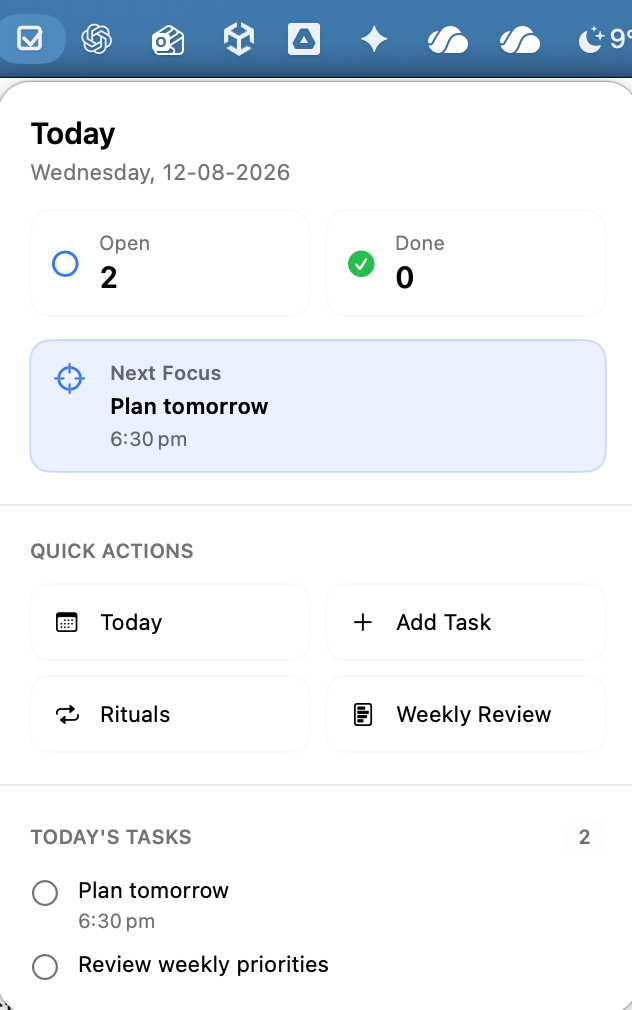
Open a compact daily overview from one checked-box icon in the Mac menu bar, without returning to the main window.
What it supports
- One checked-box icon keeps myDailyTasks compact alongside your other Mac menu-bar items.
- See today's open and completed counts side by side, followed by the next open task and its available time or tag details.
- Quick actions open Today, Rituals, Weekly Review, or Add Task.
- Preview up to three tasks for today, then open the full Today view when more work is waiting.
Keep going
Your next useful step
Continue with a related guide or explore how the feature fits your plan.